THE MAKING OF / Mansion walk
One performer. A moving camera. A mansion walk.
Follow a rapper from a warm hallway to a sunlit glass staircase. See the actual reference photo, 15-second video and exact prompt behind this moving shot.
The starting point.
One photo defines the lead performer. The prompt asks to keep their face, hair, build, clothes and accessories, while a generated bodyguard follows behind.
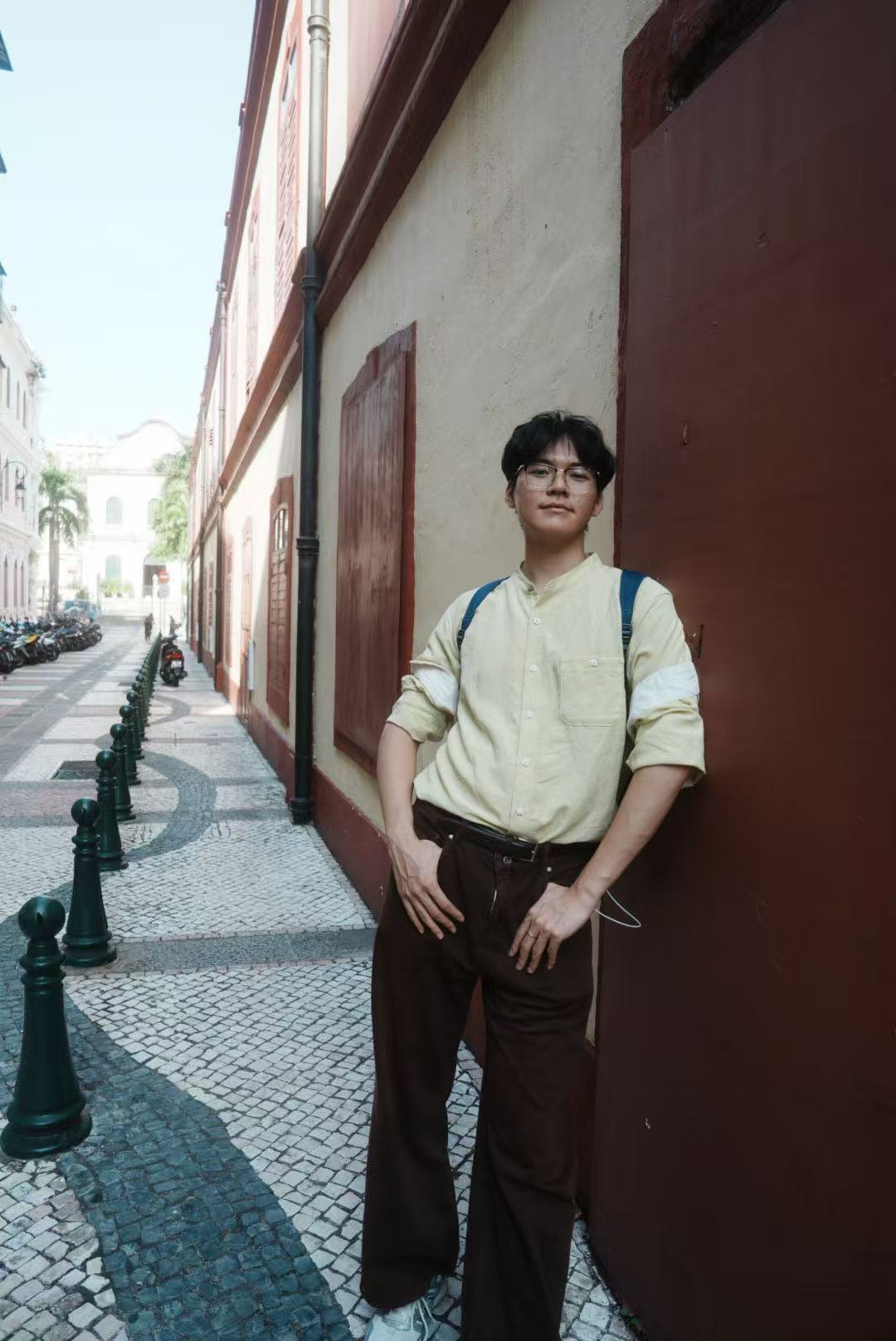
Every direction, word for word.
The prompt plans one continuous route: doorway, corridor, then glass staircase. It describes a camera backing away with the performer and a gradual change from warm interior light to daylight.
生成一段 15 秒的豪宅说唱跟拍。以参考图 1 中的人物为唯一主角,保持脸部特征、发型与体型一致。主角服装与配饰以用户上传的图片为准,不另行添加或更换。一位高大保镖始终跟在后方半步,不能抢占主角位置。场景从暖色木墙与门框的室内走廊,过渡到阳光充足、落地玻璃窗和透明玻璃栏杆的楼梯口,窗外可见绿色树木。开头主角从房门旁朝镜头走来,边说唱边抬手示意,神情松弛自信。中段主角继续前进,先单手指向前方,再自然张开双臂,肩膀与步伐随鼓点轻摆,保镖同步跟随。后段主角转向玻璃楼梯,将一只手搭上扶手,低头看台阶后继续说唱,镜头略微俯拍并顺势跟随。采用腰部以上中景,镜头平稳后退跟拍,最后自然向侧下方移动,形成连贯的一次行走过程。室内暖暗到窗边明亮的曝光变化自然,人物、衣服、首饰和空间关系一致,不跳到其他房间或舞台。生成原创流行说唱、人声和厚实鼓点,不使用原曲、原歌手声音、原片、字幕或品牌标识。Make the next take yours.
Keep the useful details and change what makes the scene your own.
- 01
Choose your lead
Upload one clear photo you have permission to use. Keep the prompt’s instruction to follow the clothing and accessories in your own image.
- 02
Plan one connected route
Keep the hallway and staircase connected. If you change the location, describe where the walk starts, where it ends and how the camera follows.
- 03
Give the background a role
The bodyguard stays half a step behind. Preserve that spacing or remove the character from the prompt to keep the lead in focus.
Create your rap video.
What carries over?
Will using this prompt recreate the same video?
Each generation is a new result. The prompt and settings are reused, while your photos guide the performers. Faces, movement, timing and audio can vary. The photos shown above are not automatically attached to your generation.
Do I need a second photo for the bodyguard?
No. This example used one reference photo for the lead. The bodyguard is described in the prompt and generated as a supporting character, so their appearance is not tied to a second reference.