Skip to the video studio

Diss Track Generator

Make a playful roast as a short rap video. Give the diss track generator a fictional rival, one funny habit and a punchline, then add a performer photo. Get generated vocals and a beat in a 5–15-second clip.

One 5-second sample · purchase to generate the full version

Create your rap video.

Choose a template

Load a scene and its settings, then add your own photos and edit the prompt.

Drop a reference photo or click to upload1 JPG or PNG · Up to 10 MB · 301–5,999 px per side
442 / 1,200

Reference photos guide the performers’ appearance, clothing and accessories. Your prompt guides the scene, movement and sound. Images and prompts are reviewed before generation.

Aspect ratio
Duration
Resolution
Estimated cost10 credits

Checking studio availability…

Write a diss track brief with a real punchline

Start with one harmless habit: a fictional rival who brags about gaming but always finishes last. Ask for a witty setup and one closing punchline. Choose a delivery such as dry, playful or high-energy, then describe the setting and drums. Keep the idea short enough for one verse; a long list of insults leaves little room for a memorable finish.

When to make a diss track video

Choose a diss when the joke needs a target and a comeback: one recognizable habit, a setup and a punchline. A general rap video can tell a story or establish a mood without challenging anyone. The scene and beat can be similar; the purpose of the verse changes.

A roast built around one habit

Try a fictional gamer who blames the Wi-Fi after every loss, or an alarm clock that never wins against snooze. Give the habit one concrete detail and ask for a playful closing line. One joke fits a short clip better than a list of unrelated insults.

A reply with room for a comeback

For two fictional rivals, assign image 1 the opening boast and image 2 the reply. Ask for alternating lines in one shared scene. Keep the exchange compact: a 15-second performance has little room for several rounds, and the generated wording may change.

A greeting or a story

Use the general tutorial for a coffee hook, a self-introduction or a music-video concept. For a birthday greeting, start with the birthday page and its name-and-memory prompt. Choose diss only when the roast is the point of the performance.

How to make your video

  1. Pick the joke

    Replace Captain Lag and the gaming habit in the prefilled prompt with your own fictional rival and one specific joke. Describe the delivery and beat.

  2. Choose the performer

    Upload one photo for a solo performer. To use a fictional character, supply a reference image of that character. For a back-and-forth performance, choose duo and add one photo for each role.

  3. Preview the punchline

    Choose 5, 10 or 15 seconds and generate. Listen to the result before sharing; names, exact wording and timing may vary. Edit the prompt for another take if the joke needs tightening.

Rap scenes to turn into a diss track

Watch the original clip, then try the roast prompt beside it with your own photos. The punchlines are new takes on each scene.

Studio duo

Two rivals, one mic

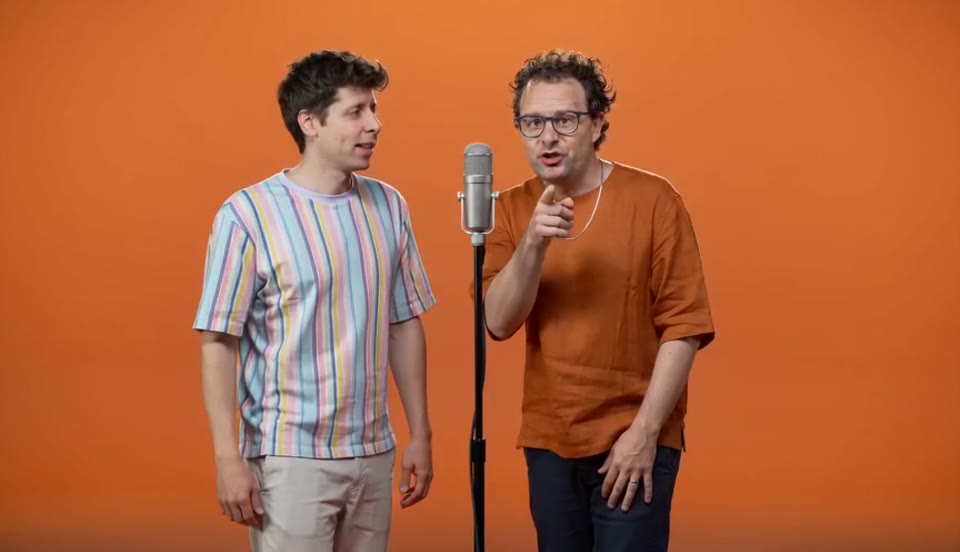
Keep both performers at one studio mic. Image 1 boasts, “I carry this squad.” Image 2 replies, “Then why am I carrying your reboot card?” Leave a beat between lines. Playful English vocals over boom-bap drums.
Studio duo: reference photo 1
Reference 1
Studio duo: reference photo 2
Reference 2
15s · 16:9 · 480p
Scene prompt
Create a 15-second rap duo. Image 1 is the left performer; image 2 is the right. Preserve each face, hairstyle and build without mixing identities. A seamless orange studio with a silver condenser microphone hanging between them and even warm light. The left wears a loose colorful striped short-sleeve shirt and light trousers; the right wears a loose orange top and dark trousers, with simple necklaces. Start with head nods and shoulder sways; the right raps and points toward the camera while the left listens and reacts. In the middle, trade verses at the mic with raised hands, open palms and small arm swings. The right briefly turns away and returns; the left raises an index finger. End in the same left/right positions, exchange a glance and keep rapping. Landscape medium to medium-wide framing keeps both upper bodies and the mic visible, with slow sideways movement and no fast cuts. Natural continuous motion, rhythmic mouths, clear hands, consistent outfits and background. Original alternating rap vocals, bass and drums; no source song, artist voice, footage, subtitles or watermark.

Cold room freestyle

Solo, deadpan delivery

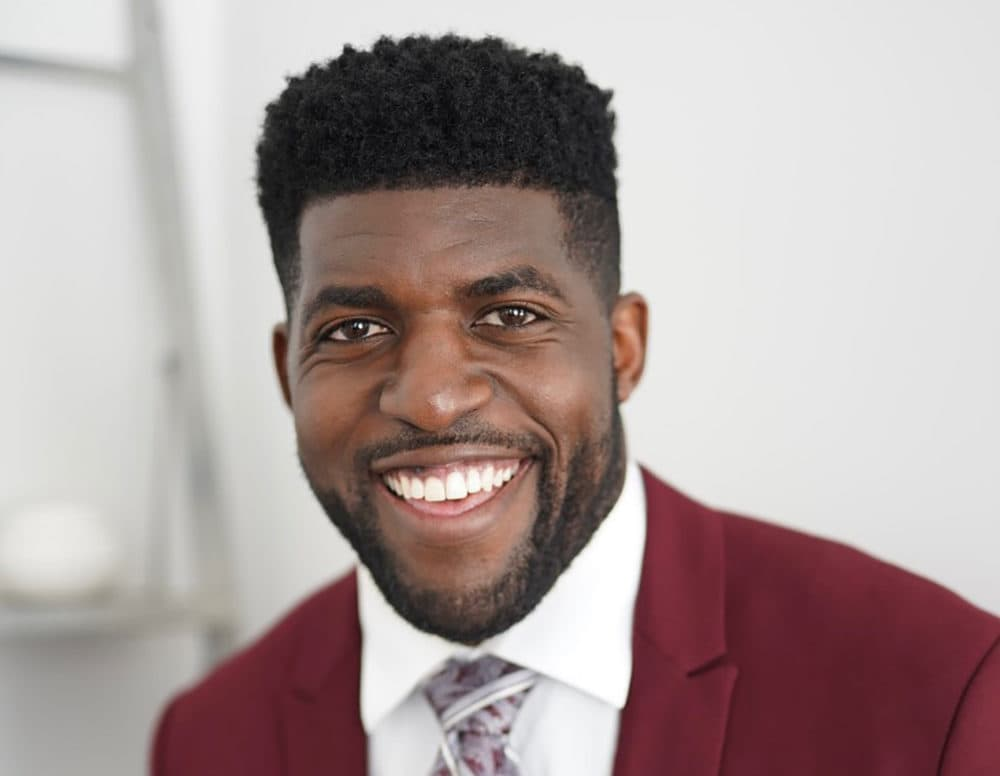
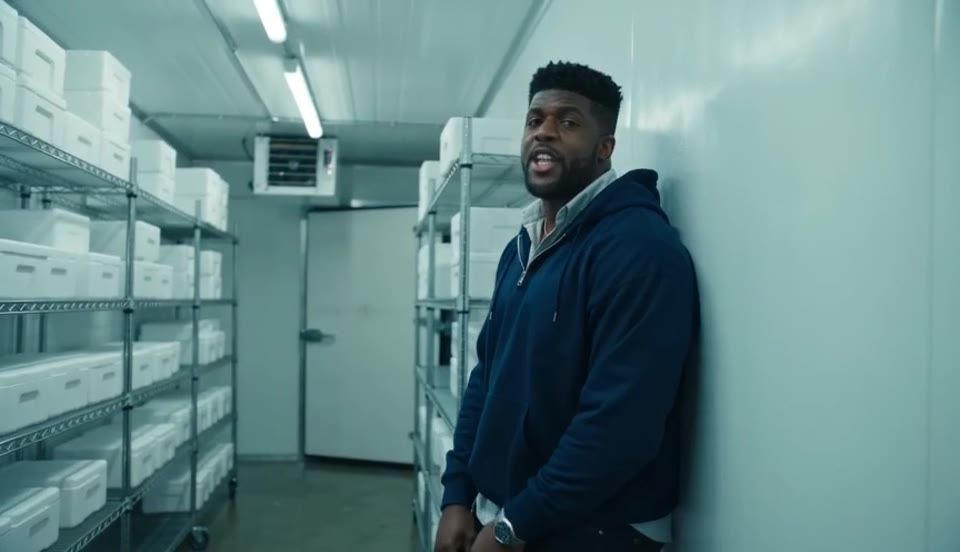
Put the performer from image 1 in a cold room, facing the camera. Roast a fictional chef who serves every meal frozen: “Your signature dish? Whatever fits in the ice tray.” Dry English delivery, sparse bass, one raised eyebrow at the end.
Cold room freestyle: reference photo 1
Reference 1
15s · 16:9 · 480p
Scene prompt
Create a 15-second solo cold-room rap. Image 1 defines the lead; preserve face, hair and build. Dark blue loose zip hoodie, light shirt, simple chain and watch. A white walk-in cold room has metal shelves stacked with plain white boxes, overhead cooling equipment and cold lights with a slight cyan-green cast. No readable labels. Start beside a white wall, rapping to the lens and swaying, then approach and point one finger toward the camera to accent a line. In the middle, turn and move alongside the shelves, glance at the boxes and gesture toward them. Face the camera again, alternating downward presses and forward hand pushes to the beat. Toward the end, lift a fist beside the temple, dip the head on a beat, turn toward the shelves and look back while rapping. Landscape handheld medium and medium-close shots; slowly approach, move sideways and back away in the same room. Continuous rhythmic mouths, natural hands, stable identity, hoodie, boxes and lighting. Original rap vocals, deep bass and spare drums; no source song, artist voice, footage, subtitles or watermark.

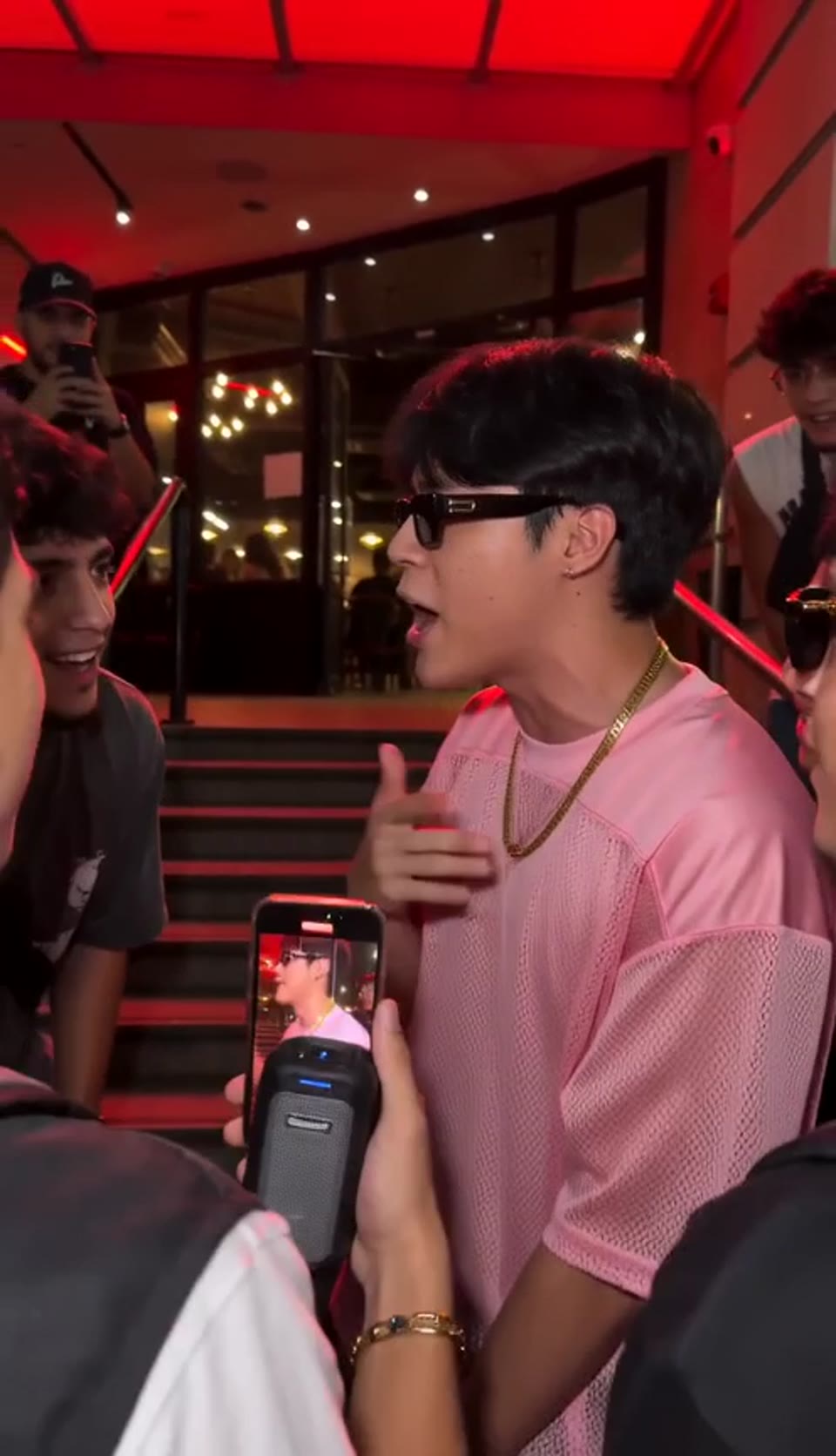
Street freestyle

A vertical street roast

Frame image 1 waist-up under a streetlight. Roast the friend who texts “outside” before finding their shoes. End with “Outside of what, your bed?” Use bouncy drums and a short pause before the last word.
Street freestyle: reference photo 1
Reference 1
15s · 9:16 · 480p
Scene prompt
Create a 15-second vertical street freestyle. Image 1 is the lead; preserve face, hairstyle and build. A loose pink mesh shirt, narrow black sunglasses, gold necklace and watch. Red lights wash a restaurant entrance at night, with steps, glass doors and metal rails. Phone light keeps the face visible. A few friends crowd around; a foreground friend with a backpack-mounted portable speaker records on a phone. Start angled toward a friend, rapping quickly, marking the beat with one hand and briefly pointing at them. Turn to the lens with clear rhythmic mouth motion and shoulder bounces, alternating chest-level gestures and open palms as friends react at the edges. End by dipping the head and leaning forward, lifting a hand on a strong beat, then looking up smiling and rapping as the crowd cheers. Handheld phone close and medium-close framing with slight shake and small distance changes; no empty stage. Keep identity, sunglasses, clothing and positions continuous; do not fully obscure the face. Original rapid Spanish rap and dembow drums; no source audio, artist voice, footage, subtitles or watermark.

Questions before your first take

Does the diss track generator make lyrics, audio or video?

It generates a short rap video with new vocals and a beat from your brief. The output is a 5-, 10- or 15-second clip at 480p, rather than a separate lyrics document or a full-length diss song. Describe a compact joke that can fit into that performance.

Can I write my own punchline or make a rap battle?

Yes. Put a short punchline and the delivery you want in the prompt. For a two-person exchange, select duo and assign image 1 and image 2 to separate roles. Exact words and precise lip-sync are not guaranteed, so check the generated performance before using it.

How do I make the roast specific instead of generic?

Give the prompt a fictional target, one habit and an ending. For example: Captain Lag calls himself a champion, finishes last, then blames the Wi-Fi. Ask for one setup and a closing punchline in a playful voice. Replacing a vague request such as roast my rival gives the model a clearer idea to perform.

Can I make a diss video about a friend?

Use a friend who agrees to the joke and to any use of their photo. Choose a harmless shared habit and keep the delivery playful. A fictional rival is another option. Review the generated words before sharing, because the model may add wording you did not request.

Can I choose trap, drill or boom-bap for the diss?

Describe the sound in the prompt, such as sparse drill drums with a dry delivery, bouncy trap with a playful hook, or boom-bap with a clear setup and punchline. These are directions for newly generated audio, not beat presets or an uploaded backing track. The exact rhythm and delivery can vary.

How much of a diss verse fits in 5 to 15 seconds?

Plan one short setup and one punchline. Use 15 seconds if the performer needs room for a reaction or a brief reply. Do not rely on a fixed bar count: generated tempo, pauses and wording vary. A full verse, hook and second verse need a longer production workflow.

Can I use my own diss recording or match a famous rapper’s voice?

The studio does not accept a song, beat or voice recording. It generates new vocals and music together with the scene. Describe a delivery such as dry, relaxed or energetic rather than requesting a named artist’s voice. You can suggest a punchline, but exact lyrics and precise lip-sync are not guaranteed.

Is AI rap video generation free?

Each signed-in account can generate one 5-second sample before its first purchase, shared across the site, free or as a low-cost Trial depending on the current offer. After purchase, return to the studio to generate a new 10- or 15-second version from the same photos and brief. Visuals and audio may differ, and generation takes additional time. The full version uses credits by length and resolution (10 for 15 seconds at 480p); Starter includes 10 credits for US$6.99 without a subscription. Start the full version before the sample and reference photos expire after seven days.

How long can I access my finished video?

Generated videos are available in your personal video library for seven days after completion. Download unlocked videos before they expire. Purchased credits expire separately: plan credits at the end of the billing period, Starter credits one year after purchase.